




















_20(1).png)
In SalonLife, you can choose between different payment solutions depending on how you want to manage your salon’s bookings and payments. Some salons just want to send a payment link every now and then, others prefer mandatory prepayments, and others still want to protect themselves against late cancellations.
Below, we explain every payment setting and option available under (Apps → Online Payments & Invoices → Settings). This includes prepayment settings, "last-minute" cancellation settings, and pay-later settings and terms.
Read through the explanation for each setting carefully, and turn on or configure the ones that suit your salon best.
Important to know!
Changes you make on this page apply to your whole salon. If a staff member happens to operate as their own sole proprietorship or company within your salon, they can create their own personal payment profile and change their payment settings individually. You’ll find → instructions for creating a personal payment profile here.
What Payment Options Are Available in SalonLife?
1. Sending a Payment Link Manually
This option is always turned on, so you can always send a client a payment link manually, exactly when you want to.
The client can pay:
- using previously saved card details (the client can save these while booking online)
- via Apple Pay
- via Google Pay
- with a Visa or Mastercard card
The payment link isn’t sent to the client automatically after the booking — you always send it yourself.
When Does This Option Work Well?
This is a good choice when, for example:
- a client wants to pay by card at the salon
- the next client is already waiting and you want to settle up with the current one quickly
- a client forgot their wallet at home
Example: A client booked a facial treatment. After the treatment, the client wants to pay by card. So now you can conveniently send them a manual payment link by email, text message, link, or by sharing a QR code, giving them a way to pay straight from their phone.
Read more about sending a payment link and paying by card details HERE.
2. Prepayments
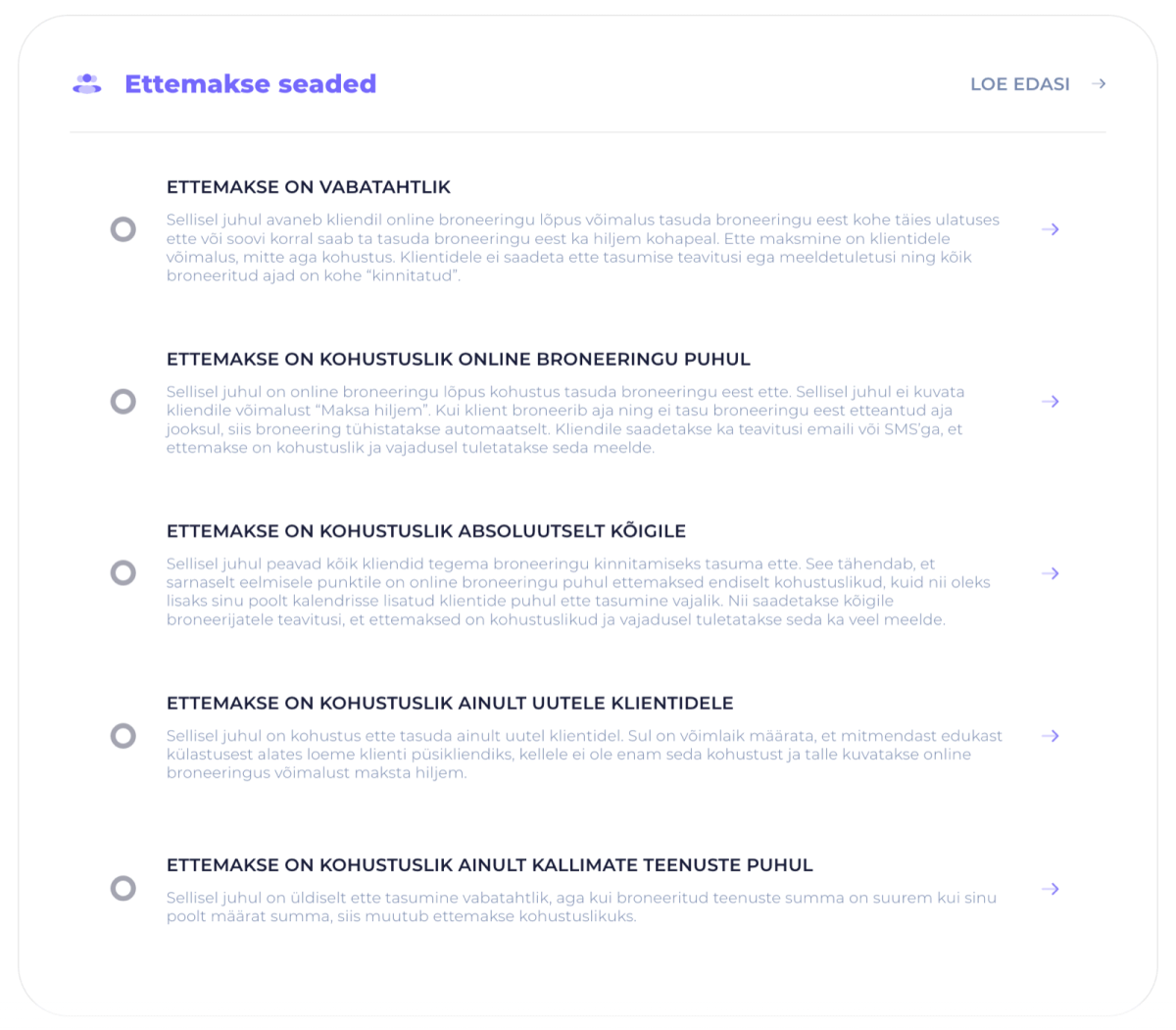
With prepayments, the client can pay right during online booking.
You can decide for yourself:
- who prepayment applies to
- whether it’s mandatory or optional
- how large the prepayment needs to be
- which clients or which price ranges of service it applies to
This helps reduce no-shows and protects your working time.
When Does This Option Work Well?
Prepayments are especially useful when:
- you often deal with last-minute cancellations
- your services are higher-priced or time-consuming
- you order in materials or products specifically for a booking
- you rent your treatment room only for the duration of existing bookings
- you want the certainty that the client is committed to the booking
What Exactly Can You Set Up?
In SalonLife, you can choose, for example:
- prepayment is optional
- prepayment is mandatory for online bookings
- prepayment is mandatory only for new clients
- prepayment is mandatory only for higher-priced services
- prepayment is mandatory for absolutely everyone
Read more about prepayment options HERE.
3. Charge a Fee for Late Cancellations and No-Shows
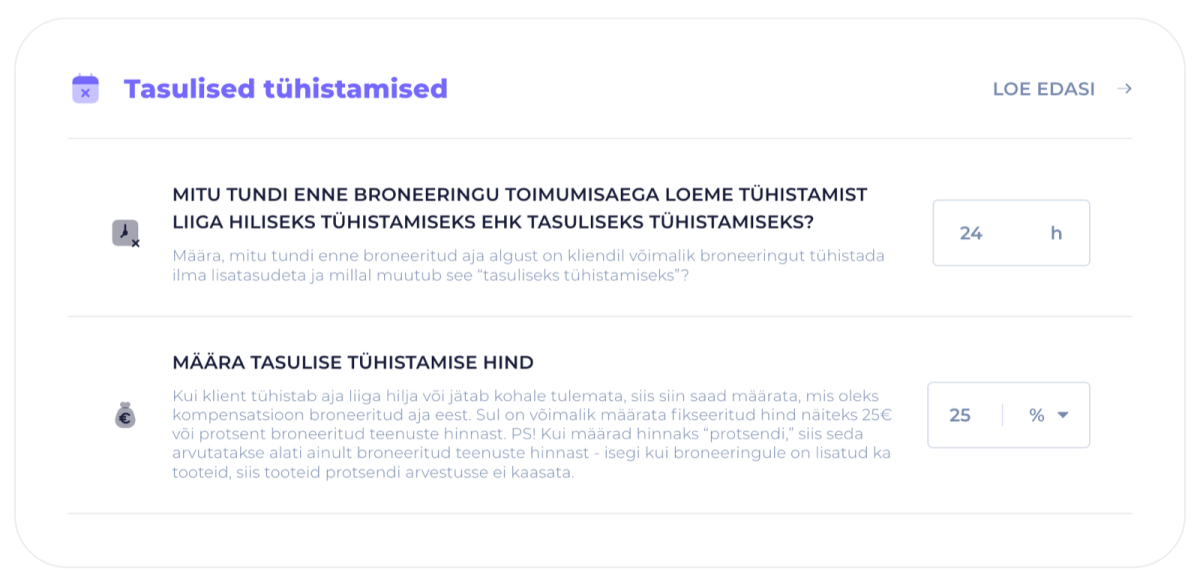
With this setting, you can decide that if a client:
- cancels a booking too late
- or doesn’t show up,
a compensation fee applies to them.
This is often used to protect the salon’s working time and reduce slots that end up empty at the last minute.
When Does This Option Work Well?
This is a good choice when:
- clients often don’t show up
- your slots fill up quickly
- every empty slot means real financial loss
- you want to set clearer rules for bookings
Important to know!
We strongly recommend adding these terms to your booking terms too, so the client sees them before confirming a booking.
Read more about setting up paid cancellations HERE.
Booking Terms
When you use payments and cancellation fees, it’s important that your booking terms are kept up to date.
For example, if you:
- change your cancellation fee percentage
- add mandatory prepayments
- or apply new rules
then make sure to review your booking terms as well.
These are the terms the client agrees to when making an online booking.
In SalonLife, you can choose between different payment solutions depending on how your salon works and which situations you want to prevent. Some salons are best served by flexible manual payment links, others need the certainty of prepayments, and others still want to reduce late cancellations.
Check Out These Other Guides Too:
- Setting Up Prepayments
- What Is a Payment Link and How Do You Use It?
- Paid Cancellations
- SalonLife Payment Solution - STAFF SETTINGS
- Drafting Your Booking Terms