




















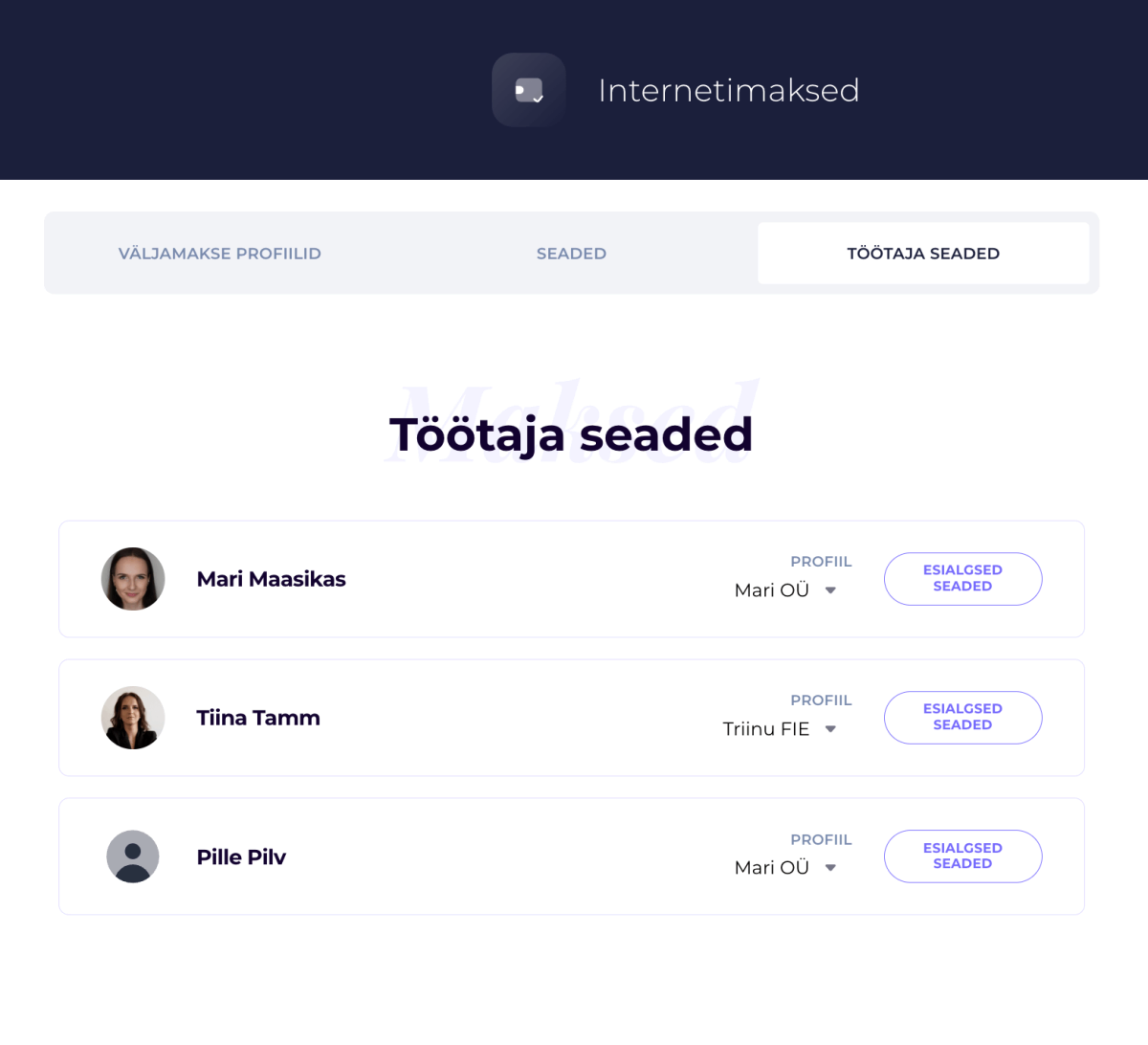
SalonLife lets you set up separate payment settings for every staff member and choose which payment profile — that is, which legal entity — their payments are received under. This gives you the flexibility to manage different staff members, businesses, and payment terms all in one system.
What Can You Set in a Staff Member’s Settings?
For each staff member, you can set things like:
• which payment profile they receive payments under
• whether prepayment is mandatory or optional for clients
• how large the prepayment needs to be
• whether clients see the "Pay Later" option
• whether a fee applies for last-minute cancellations
• how many hours before a booking a client can cancel for free
• whether prepayment applies only to online bookings or to manually added bookings too
• which prepayment and online payment terms are shown to the client
This way, every staff member can use the payment rules that suit their own way of working.
Changing a Staff Member’s Payment Settings
- Go to:
Apps → Online Payments & Invoices → Staff Settings - Find the staff member you want
- Choose the right payment profile, i.e. legal entity, for that staff member
- To personalize their payment settings, click the button next to their name: Initial Settings
- Set the prepayment and payment terms you want
- Save your changes
Adding a Staff Member’s Own Sole Proprietorship or Company
If a staff member operates independently and wants to receive payments straight to their own business or sole proprietorship’s bank account, you’ll need to create a separate payment profile for them.
How Do You Add a New Payment Profile?
- Go to: Apps → Online Payments & Invoices → Wallet
- Click: Add New
- Follow the on-screen instructions
- Once the payment profile is created, assign it to the relevant staff member under their settings
After that, this staff member’s booking payments will start going straight to their own bank account.
Good to Know!
A single salon can have several different payment profiles. This makes it easy to manage situations where different sole proprietorships or companies work within the salon, while everyone still uses the same shared SalonLife system.
TIP:
If staff members have different price lists, ways of working, or cancellation rules, it’s worth personalizing their payment settings too. That way, clients always see the terms that apply to that specific staff member.
Check Out These Other Guides Too:
- SalonLife Payment Solution - PAYMENT SETTINGS
- What Is a Payment Link and How Do You Use It?
- Prepayment Options
- Paid Cancellation Settings
- Booking Terms: Why They Matter and What to Keep in Mind for Prepayments